
MoonBell and Xero Payroll
Connect MoonBell to Xero NZ Payroll. Approved timesheets and leave go to Xero, and MoonBell prepares a draft pay run for you to check and post.
What MoonBell sends to Xero
- Approved timesheets, as hours by day.
- Approved leave.
- A draft pay run, with public holiday hours, days paid and alternative holidays earned filled in on the draft payslips.
How it works
-
01
Connect Xero
A manager connects MoonBell to your Xero organisation in Settings.
app.moonbell.co.nz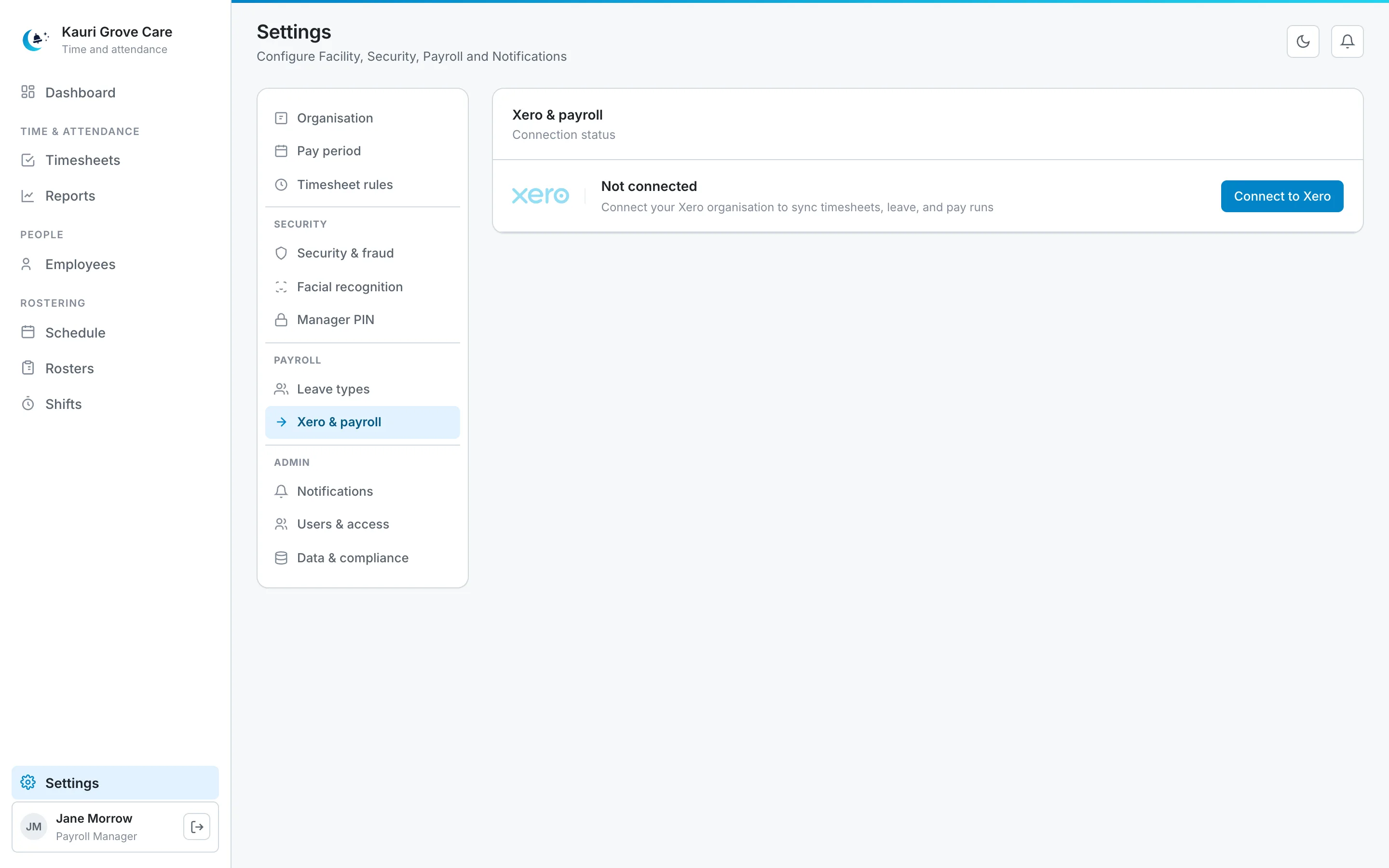
-
02
Check what is linked
MoonBell shows the Xero organisation it is connected to, its payroll calendar, and the Xero leave type each of your leave types goes to.
app.moonbell.co.nz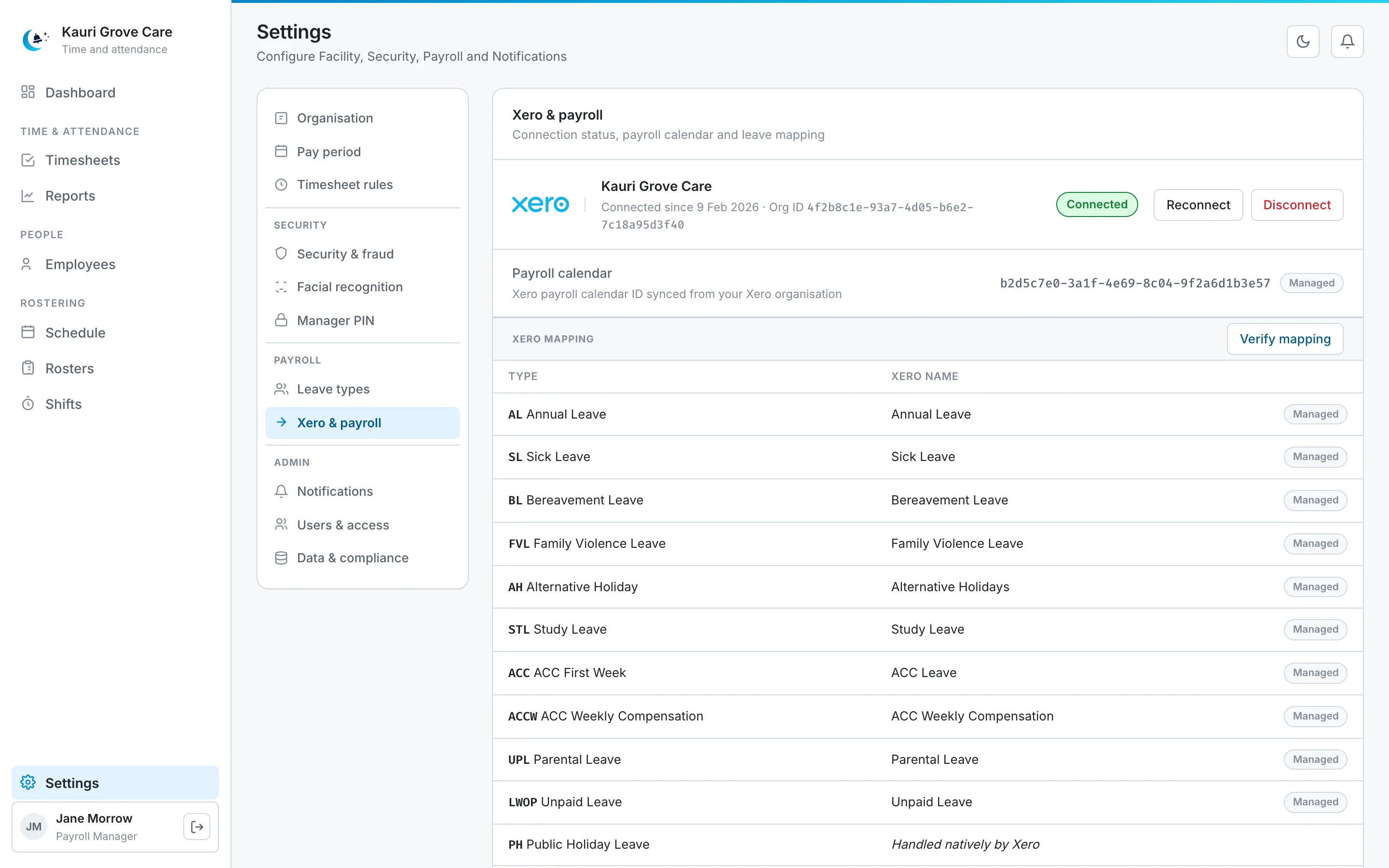
-
03
Send approved timesheets
When the pay period's timesheets are approved, send them to Xero. MoonBell prepares a draft pay run for you to check and post in Xero.
app.moonbell.co.nz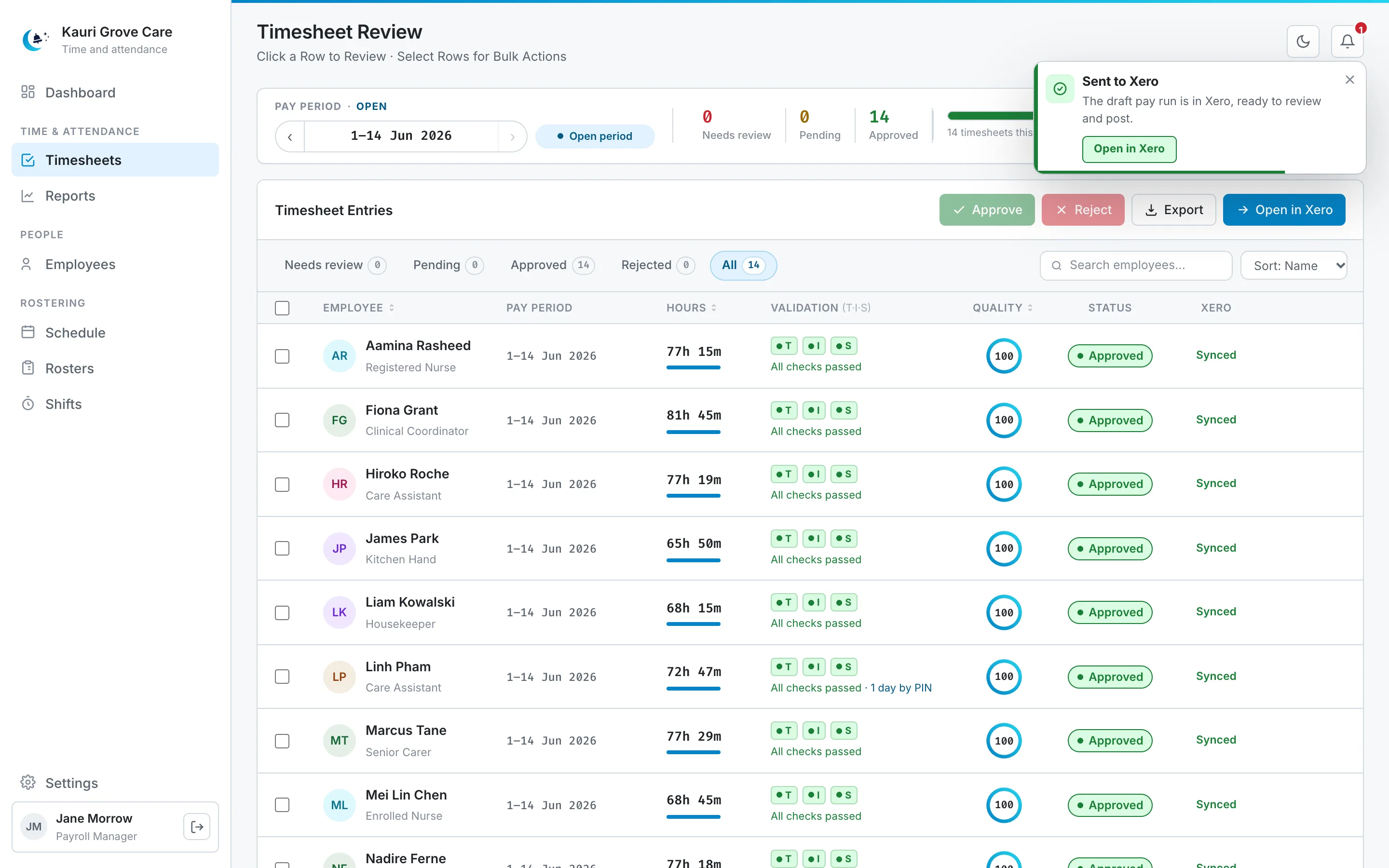
-
04
Disconnect at any time
You can disconnect Xero in Settings whenever you want. MoonBell asks you to confirm first.
app.moonbell.co.nz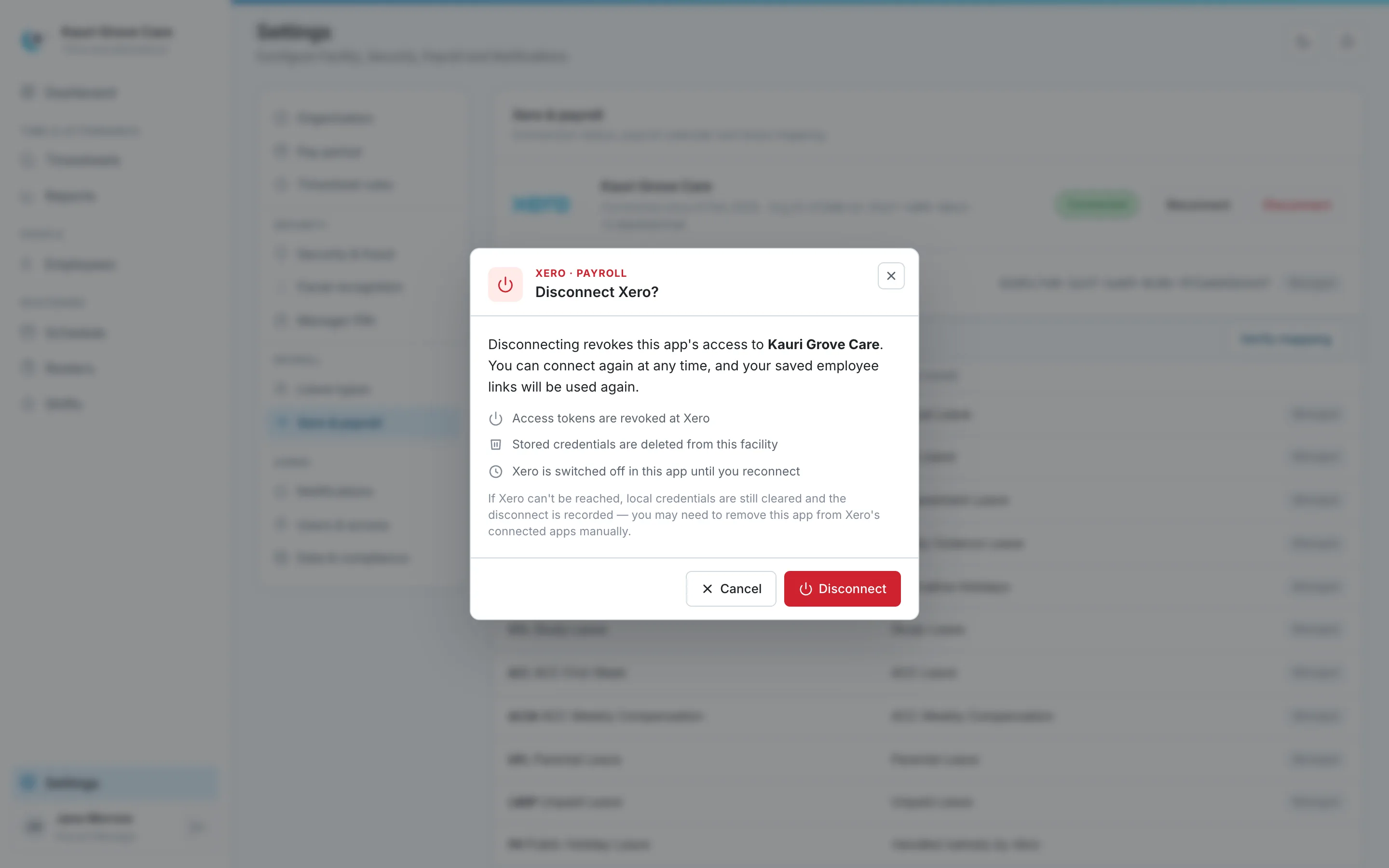


What stays with you
- MoonBell never posts a pay run. You check it and post it in Xero.
- MoonBell does not keep pay rates, payslips, bank or tax details from Xero.
- Connecting Xero is optional, and you can disconnect at any time.
Xero is a trademark of Xero Limited.
Try MoonBell free
Free for 30 days. Contact us for pricing and a trial. We set up your sites and your managers' logins.