
MoonBell and Crystal Payroll
MoonBell makes a pay file in Crystal Payroll's import format. A manager downloads it from MoonBell and imports it into Crystal.
How it works
-
01
Approve, then download the pay file
Once the pay period has ended and every timesheet in it is approved, press Pay file. It downloads two files: the pay file for Crystal, and a totals file to check the import against.
app.moonbell.co.nz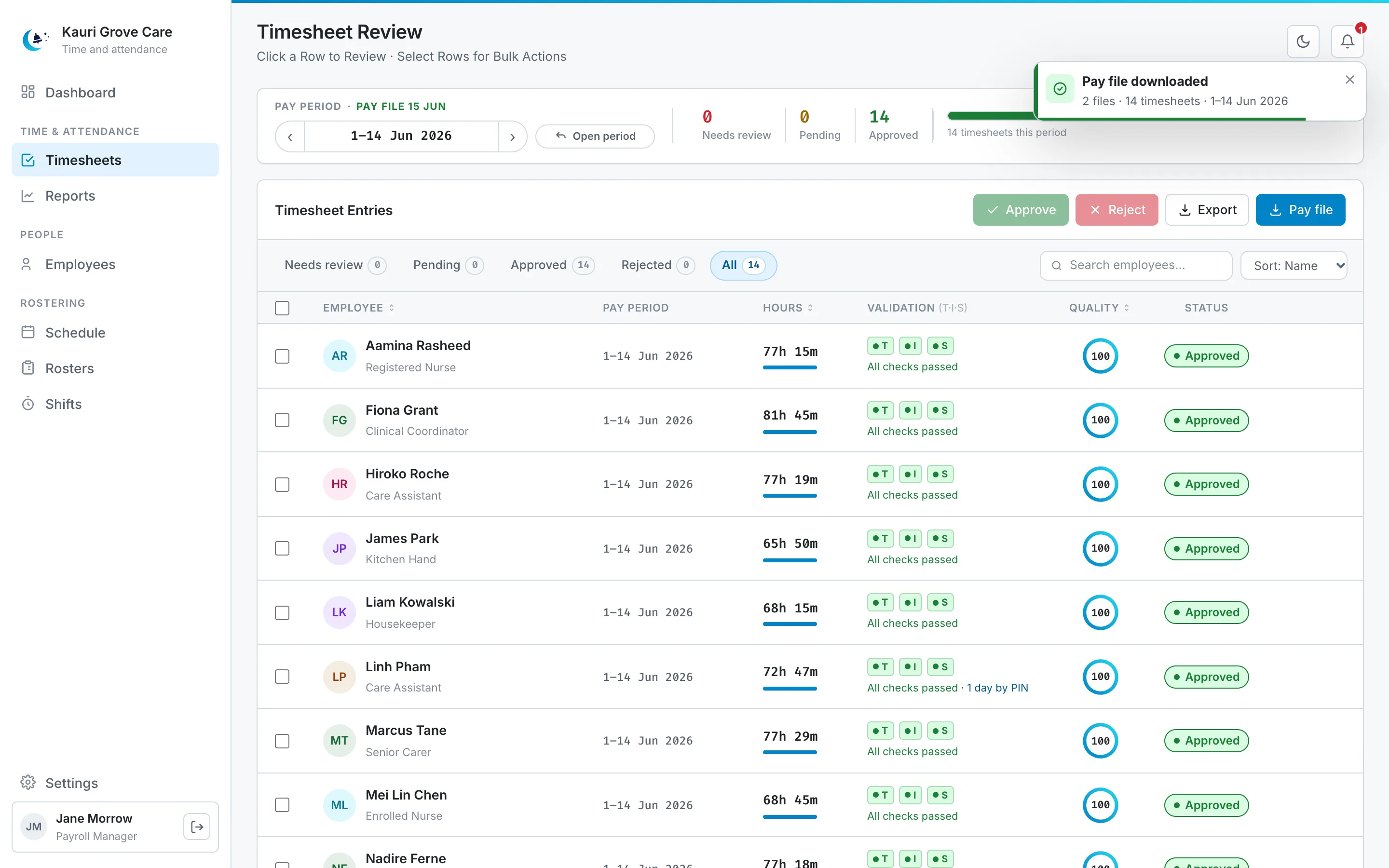
-
02
Import it into Crystal Payroll
Import the pay file into Crystal, and check it before anyone is paid. It has one row per pay line: the person, the date, the kind of hours and the hours, in Crystal's Timesheets 5 import layout.
EmployeeLink ActionDate ActionType ActionHours PayTimes Marcus Tane 01/06/2026 Work-AltCR 8.00 1 Marcus Tane 02/06/2026 Normal Working 8.00 1 Marcus Tane 03/06/2026 Normal Working 8.00 1 Marcus Tane 04/06/2026 Normal Working 8.00 1 Marcus Tane 07/06/2026 Normal Working 8.00 1 Marcus Tane 08/06/2026 Normal Working 8.00 1 Marcus Tane 11/06/2026 Normal Working 8.00 1 Marcus Tane 12/06/2026 Normal Working 8.00 1 Marcus Tane 13/06/2026 Normal Working 8.00 1 Marcus Tane's 9 rows of the file's 126. The file's other 7 columns are left blank. Demo data.
Monday 1 June 2026 was King's Birthday, so the hours Marcus worked that day are Work-AltCR: a public holiday worked.

MoonBell does not connect to Crystal. The pay file is a file you download and import yourself.
Try MoonBell free
Free for 30 days. Contact us for pricing and a trial. We set up your sites and your managers' logins.